


Platform: Windows
Required downloads:
- Crazy Flasher Game (includes versions 2, 3, 4, 5, 6 for $0.99)
https://store.steampowered.com/app/1540150/Crazy_Flasher_Series_2021/
- Procmon (not strictly required but very powerful, worth download)
https://learn.microsoft.com/en-us/sysinternals/downloads/procmon
- HxD (Best Hex reader for Windows imo)
- JPEXS Free Flash Decompiler (get the latest release)
https://github.com/jindrapetrik/jpexs-decompiler/releases/tag/version25.1.3
Step 1️⃣
The first step is to find where the game is. Locate your Steam folder and go to Steam\steamapps\common\CrazyFlasherSeries. You should find this:
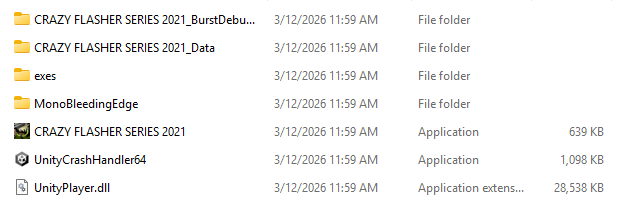
You might think that “CRAZY FLASHER SERIES 2021” is the one you should open, however that’s not our target.
The real target resides in “exes” folder. Now open it.
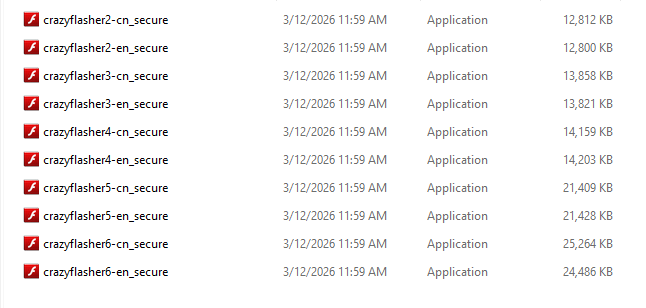
Here we have a bunch of .exe files with FlashPlayer icon. The ones that contain “-cn” in their names are localized to Chinese and “-en” for English. For this demonstration, I will choose “crazyflasher2-en_secure”.
If you like, you can double-click it and the game will start, it won’t hurt to get yourself familiar with the game first.
Step 2️⃣
Now if you have the game opened, I want you to close it. The next thing we’ll do is to open it in Procmon. If you don’t want to use Procmon for whatever reason you forward to Step 3. That being said, let’s open Procmon. If you can’t locate it, you can type “Pocmon.exe” in your Windows Search bar.
After you open it, it will greet you with:
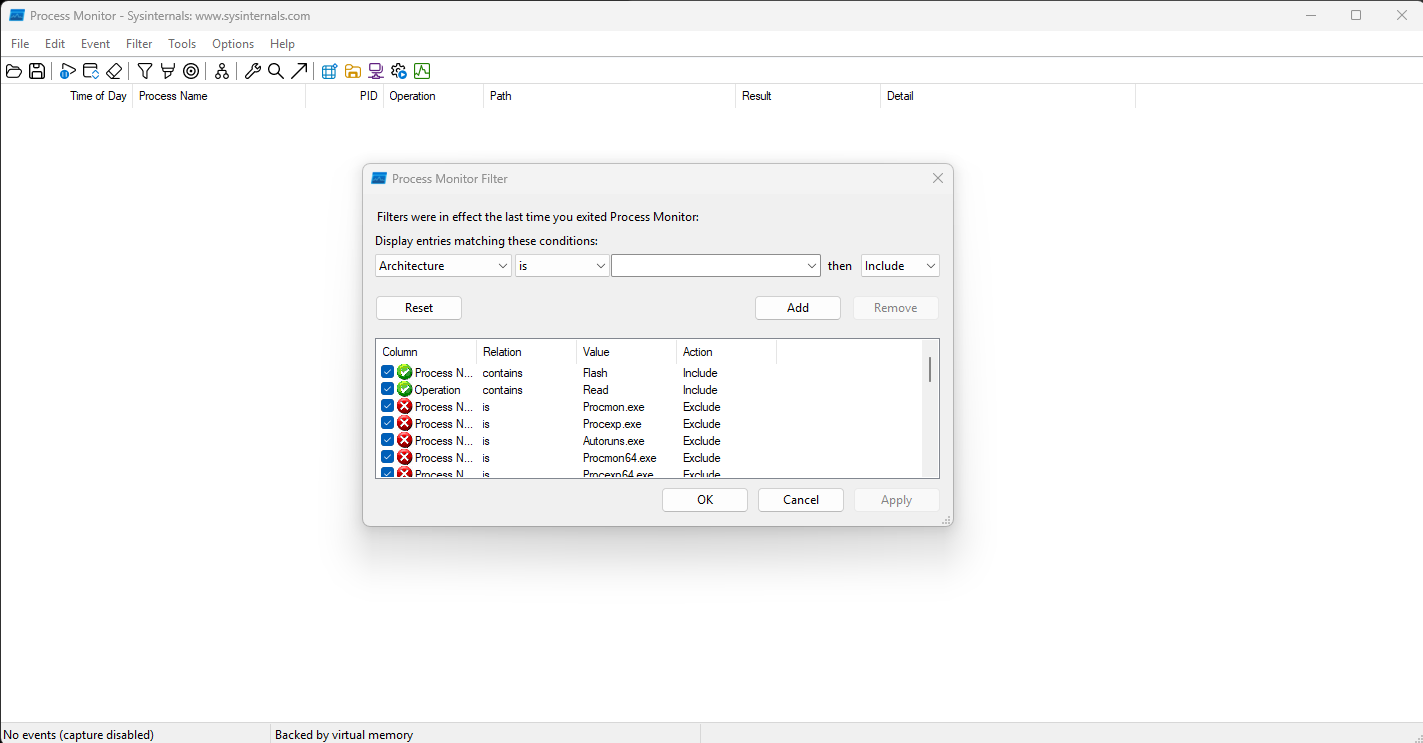
Next change the entries to “Process Name”, “contains”, “Flash”, and click “OK”.
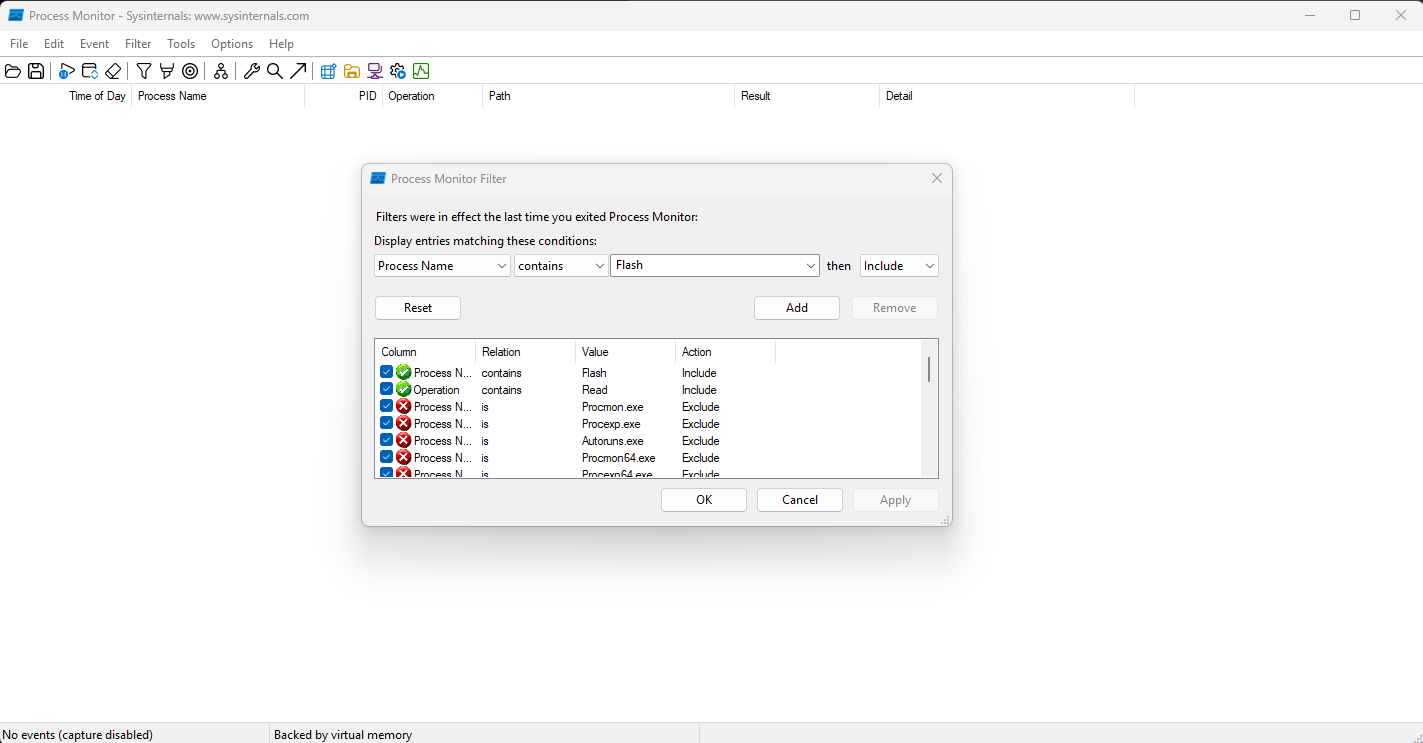
After you confirmed, you will likely see nothing for now, assuming that you don’t have other Flash programs running.
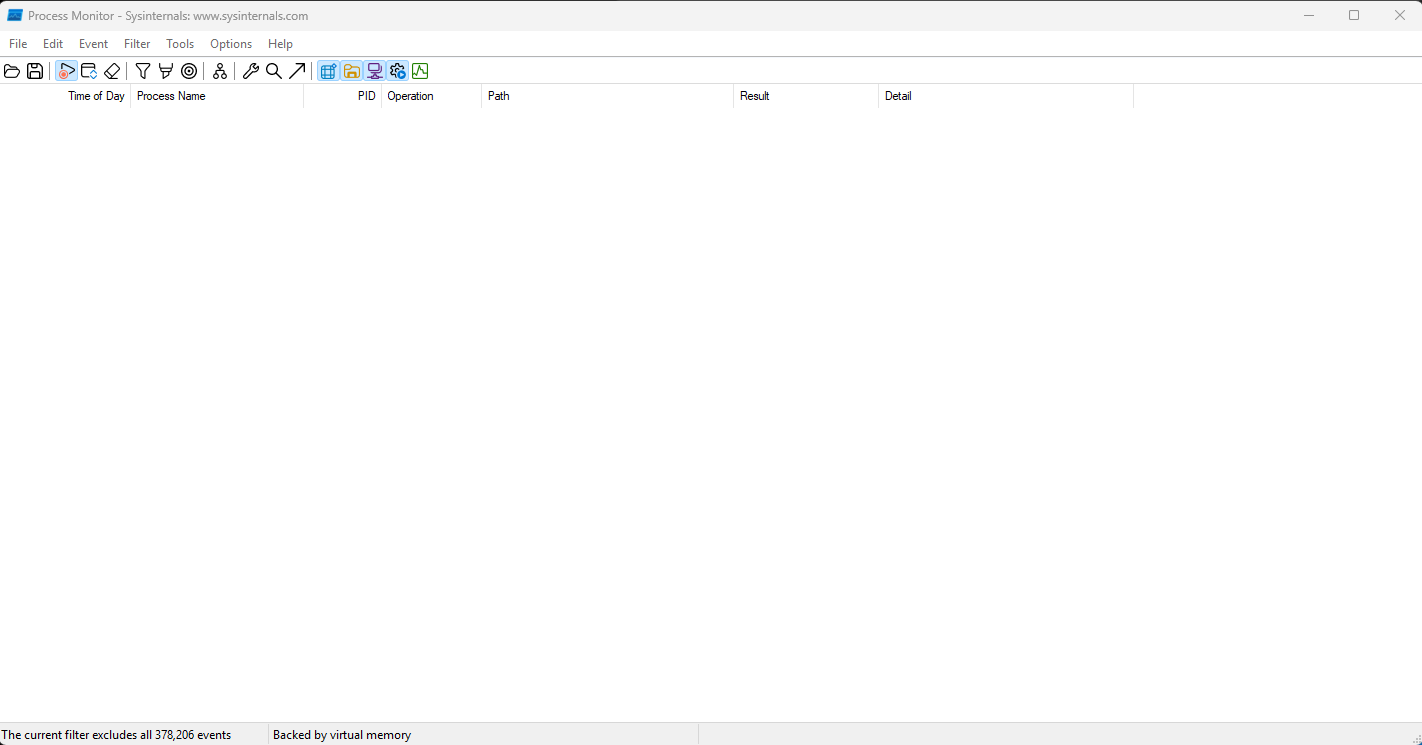
Now open the game (crazyflasher2-en_secure).
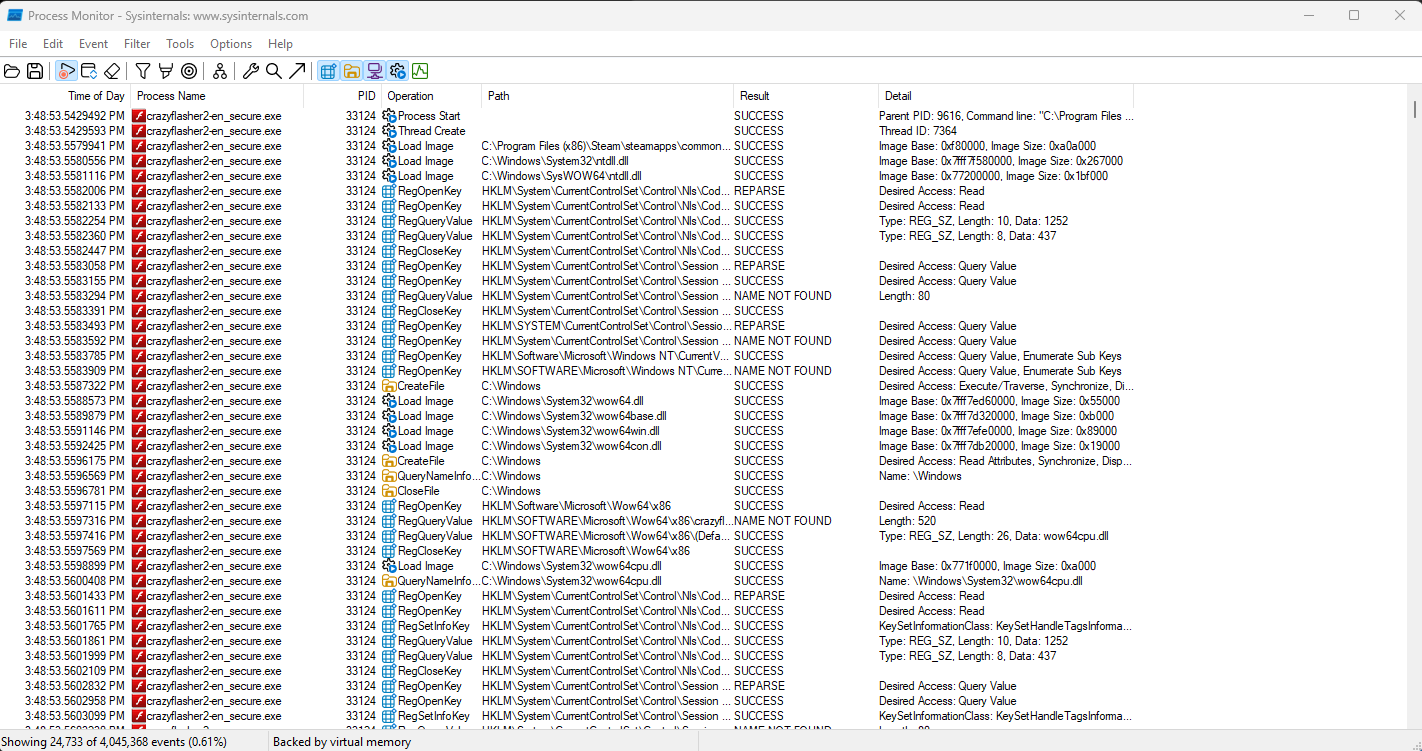
Go back to Procmon, you should it updated with a lot new entries. However, we are not interested in most of them.
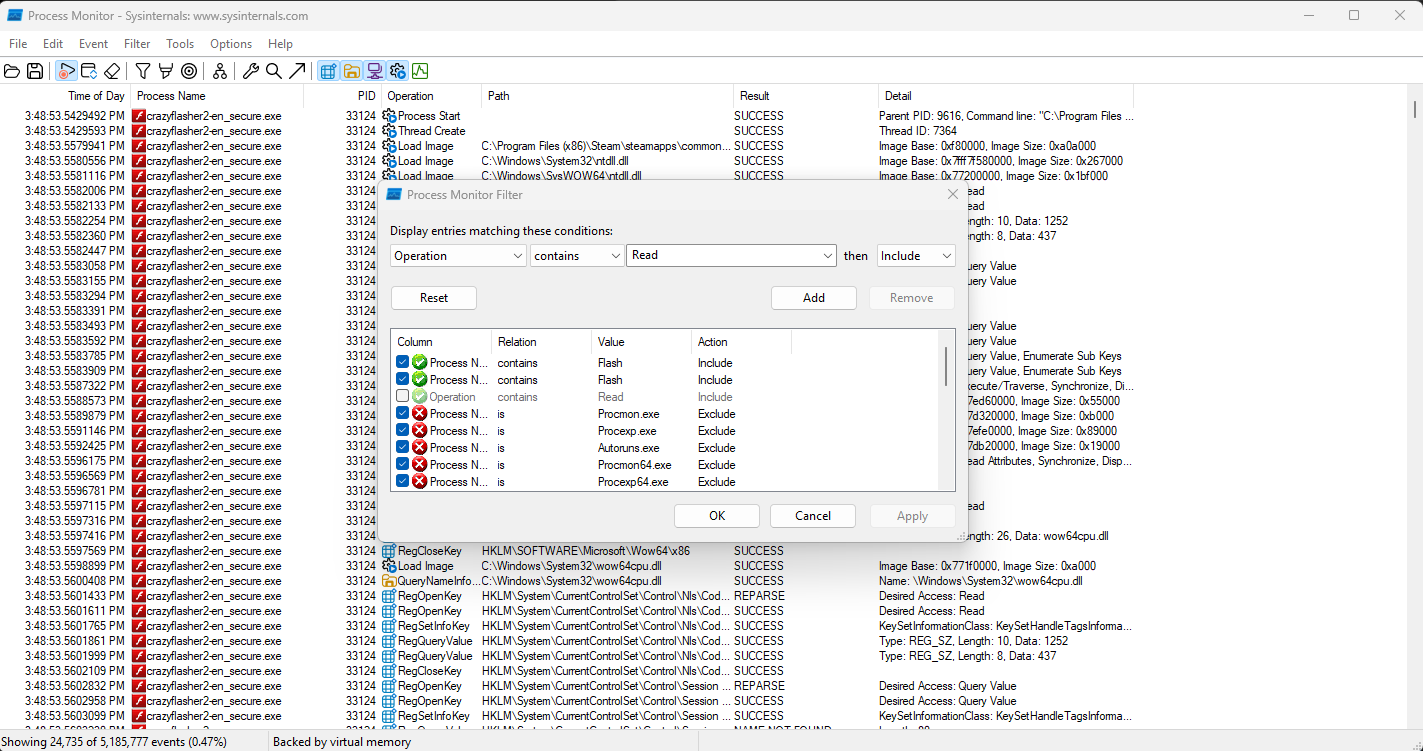
Therefore let’s apply filter again. Go to the top tool bar -> Filter -> Filter, and enter entries “Operation”, “contains”, “Read”.
After you confirmed, you should notice now the majority of the lines are “ReadFile” Operation.
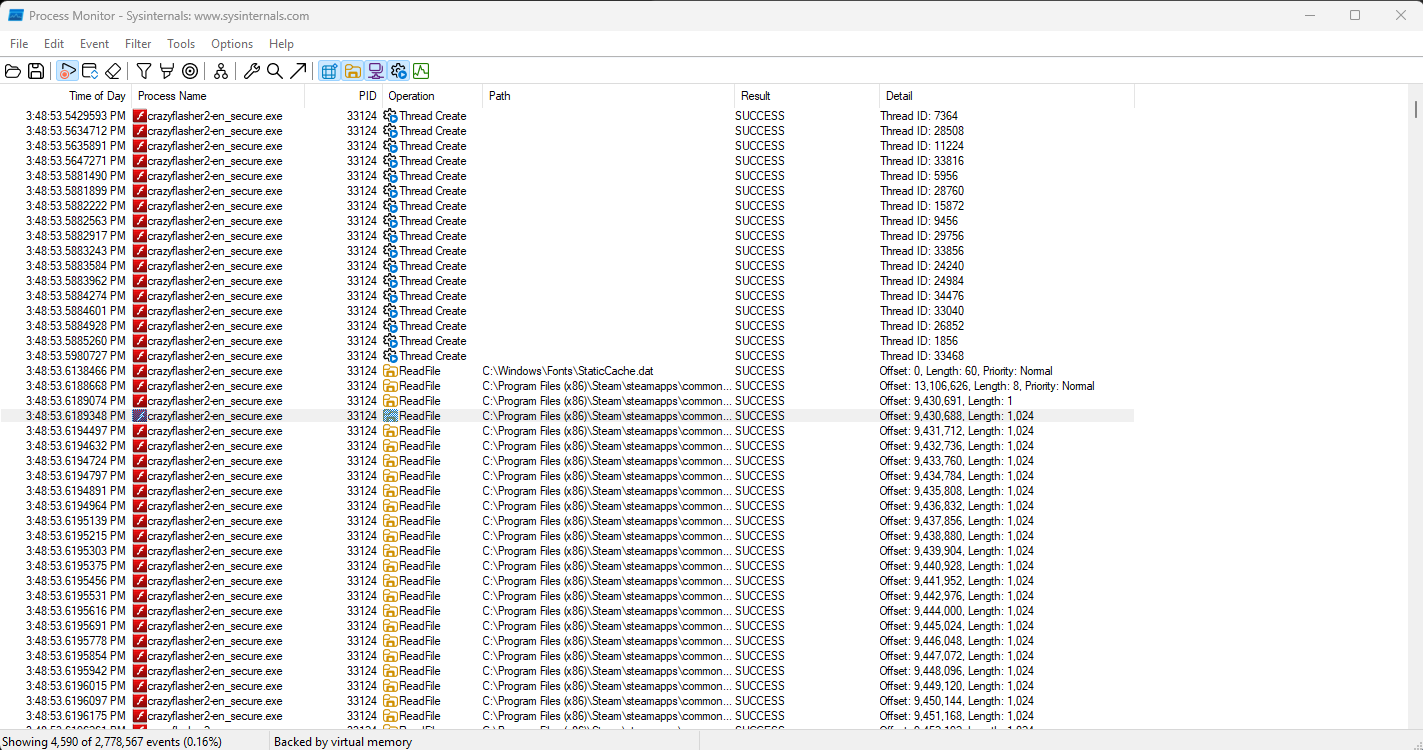
We are PARTICULARLY interested in the line that has Detail “Offset: 9,430,688, Length: 1,024”. The first thing we notice is that the game is reading data from itself (if you expand Path field you should see it exactly leads to where the game is). The second thing is that is read from offset 9430688 and repeatedly read 1024 bytes, this is AN IMPORTANT CLUE: the program is streaming a data block sequentially from this location. This could include things like sprites, audio, game code… Let’s remember the offset is 9430688. Now you can close Procmon.
Step 3️⃣
From Step 2, we learned that the game is reading resource from itself. The next thing we do is to open the game executable (crazyflasher2-en_secure) in HxD. You should see:
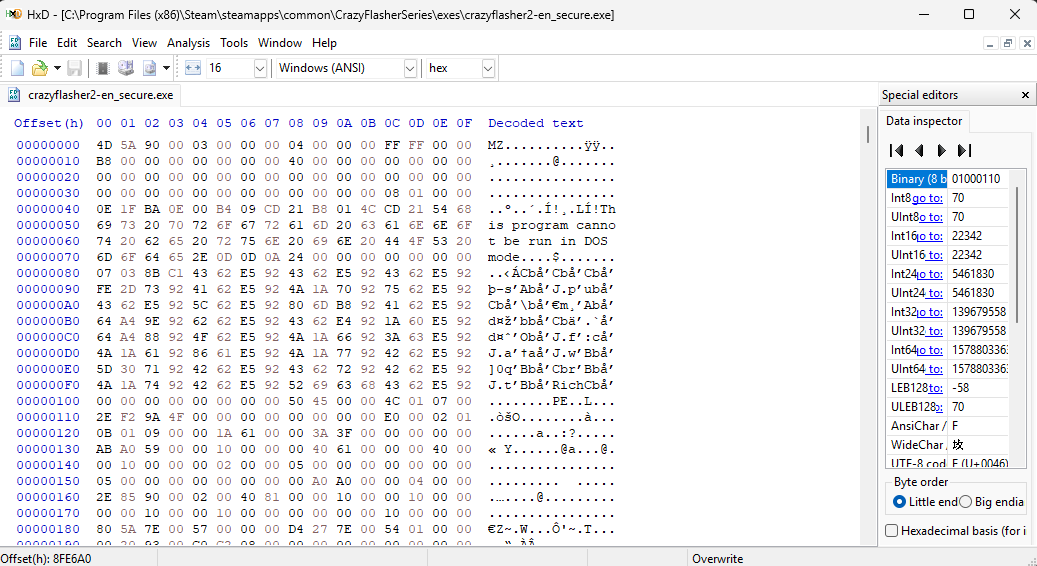
Next we want to go to the offset which we recorded earlier. From the top tool bar -> Search -> Go to…
Set “dec”, “begin” “9430688”. Press OK.
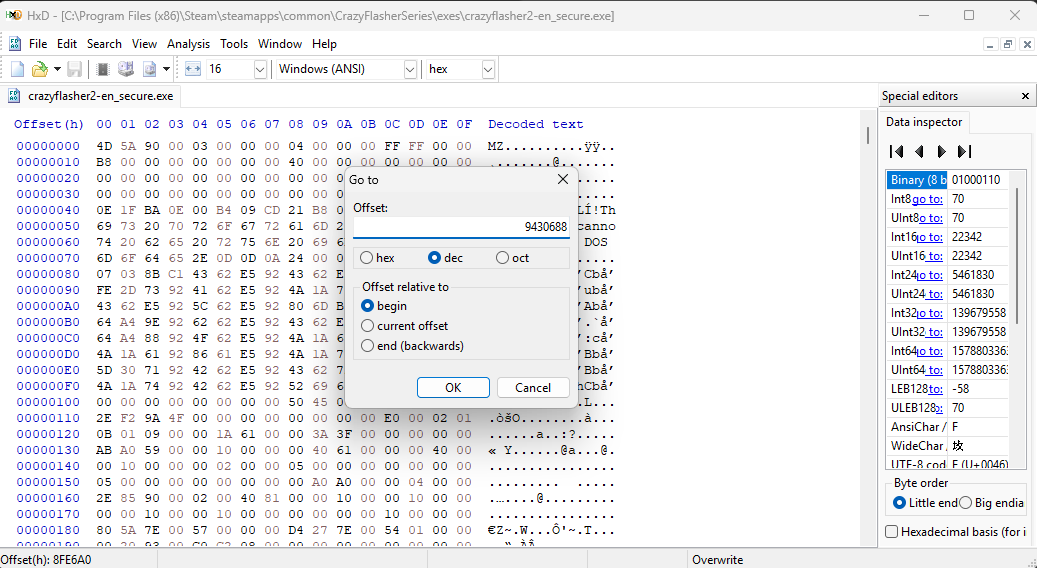
It should lead you to this line.
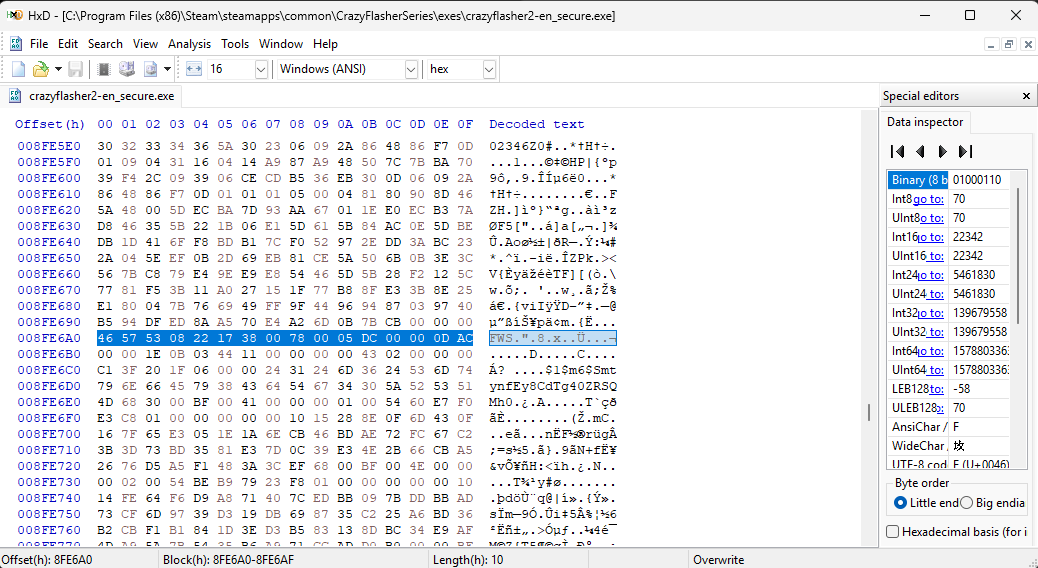
Let’s analyze this line closely, in particular the first 8 bytes.
46 57 53 08 22 17 38 00
The first 4 bytes indicate that it’s a “SWF” file (version 8.0). You have to read it in little-endian order.
The next 4 bytes indicate the size of this “SWF” file. Again, you have to read it in little-endian, so it’s actually 00381722.
Converting it to Decimal using BinaryHex Converter.

We get 3675938. This is the size of SWF.
Now go back to HxD, we want to extract the SWF file. Start by pressing ‘Ctrl + E’. Fill the fields. Start-offset: 8FE6A0, Length: 00381722, “hex”.
If you wonder where 8FE6A0 comes from, look at the Offset (h), or the left side of line 9430688.
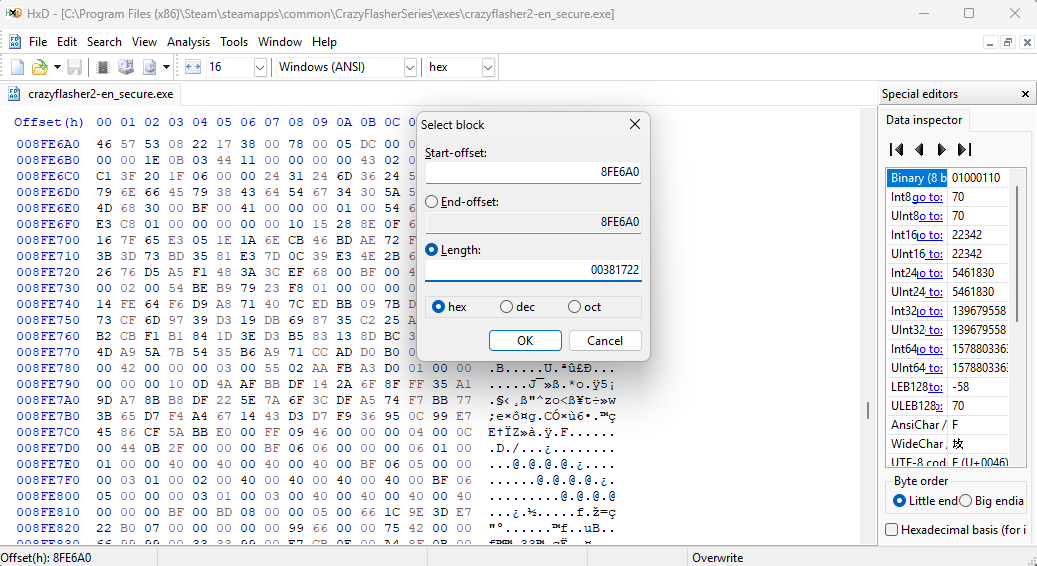
Here is the other way to do it:
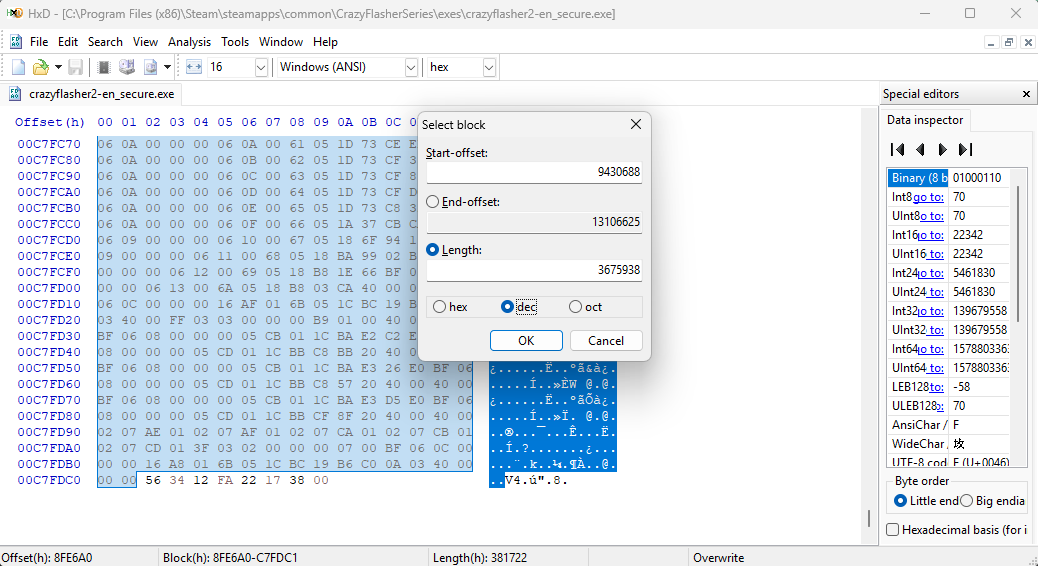
The exact potion of our target SWF file will be selected in blue. Now hit ‘Ctrl + C’, ‘Ctrl + N’, ‘Ctrl + V’.
We have a SWF file now.
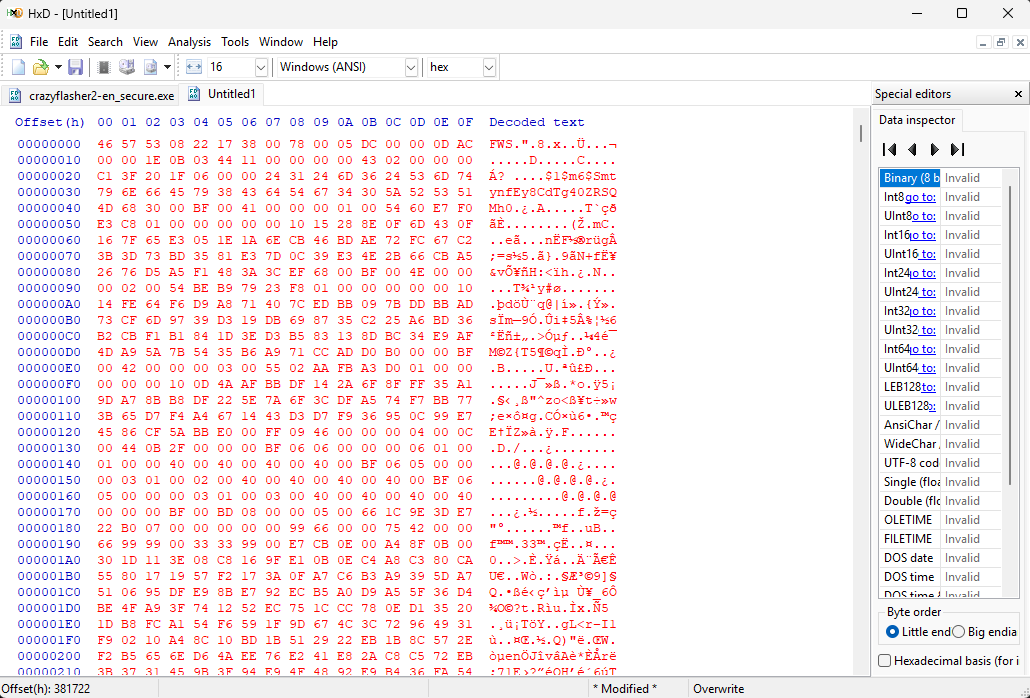
Next save it.
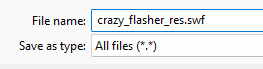
Feel free to close HxD now.
Step 4️⃣
Open JPEXS Free Flash Decompiler and drag in your saved SWF file. You should expect it open in the decompiler.
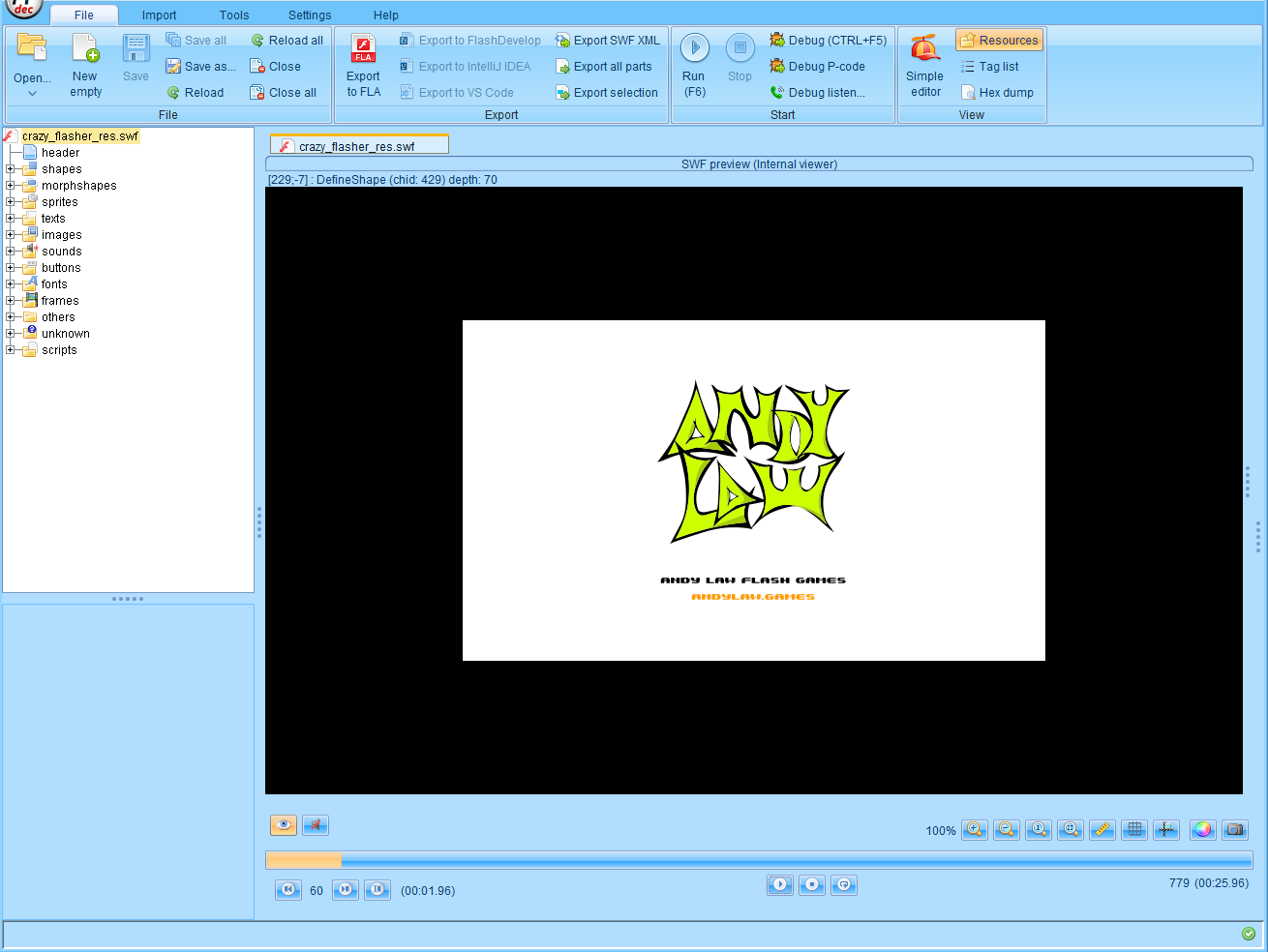
Well, that’s basically it. Hope my tut is helpful for you.
💗 If you liked this blog, consider following me on GitHub.
🍯 Happy Coding 🍯