
ChatGPT

395 words
2 minutes
CTKColorPickerAlpha Showcase
Category: App Showcase
License: CC0 1.0 Universal
Waiting for api.github.com...
Introduction
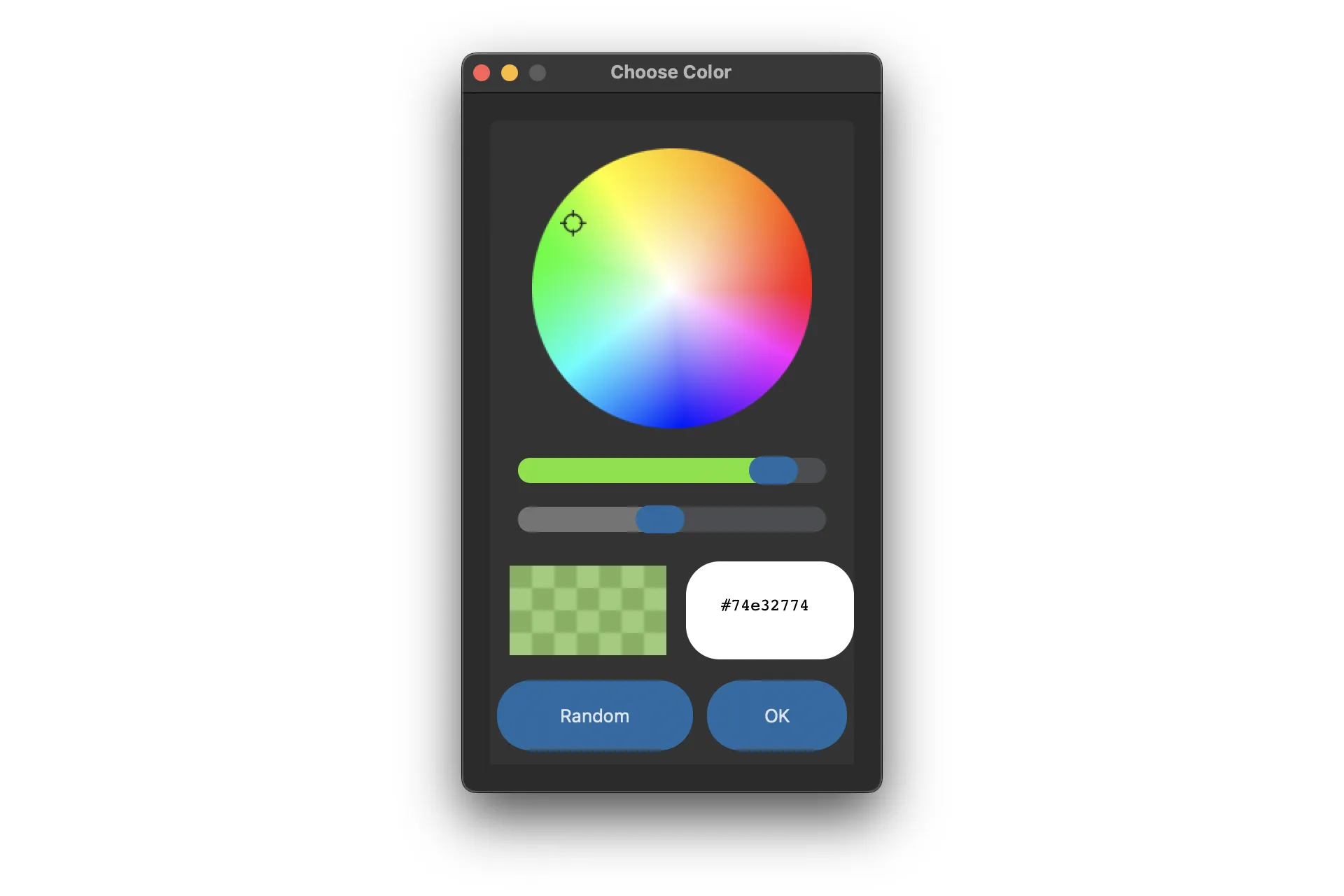
A special color picker that supports picking transparent color (8-digits hex code)


Download
pip install ctk-color-picker-alphaRequirements
How to use?
import customtkinter as ctkfrom ctk_color_picker_alpha import *
def ask_color(): pick_color = AskColor() # open the color picker color = pick_color.get() # get the color string print(color)
root = ctk.CTk()
button = ctk.CTkButton(master=root, text="CHOOSE COLOR", text_color="black", command=ask_color)button.pack(padx=30, pady=20)root.mainloop()Options
- width: set the overall size of the color picker window, always greater than 300 pixels
- title: change the title of color picker window
- fg_color: change foreground color of the color picker frame
- bg_color: change background color of the color picker frame
- button_color: change the color of the button and slider
- button_hover_color: change the hover color of the buttons
- text: change the default text of the ‘OK’ button
- initial_color: set the default color of color picker (currently in beta stage)
- slider_border: change the border width of slider
- corner_radius: change the corner radius of all the widgets inside color picker
- enable_previewer: if True, display the color previewer
- enable_alpha: if True, enable 8-digits hex code and transparency. Otherwise, use 6-digits hex code and disable transparency
- allow_hexcode_modification: if True, enable modifications to hex code textbox
- enable_random_button: if True, display the ‘Random’ button
- **other button parameters: pass other button arguments if required
ColorPickerWidget
This is a new color picker widget that can be placed inside a customtkinter frame.

Usage
from ctk_color_picker_alpha import *import customtkinter
root = customtkinter.CTk()colorpicker = CTkColorPicker(master=root)colorpicker.pack(padx=10, pady=10)root.mainloop()Options
- master: parent widget
- width: set the overall size of the color picker window, always greater than 300 pixels
- title: change the title of color picker window
- fg_color: change foreground color of the color picker frame
- bg_color: change background color of the color picker frame
- button_color: change the color of the button and slider
- button_hover_color: change the hover color of the buttons
- text: change the default text of the ‘OK’ button
- initial_color: set the default color of color picker (currently in beta stage)
- slider_border: change the border width of slider
- corner_radius: change the corner radius of all the widgets inside color picker
- enable_previewer: if True, display the color previewer
- enable_alpha: if True, enable 8-digits hex code and transparency. Otherwise, use 6-digits hex code and disable transparency
- allow_hexcode_modification: if True, enable modifications to hex code textbox
- enable_random_button: if True, display the ‘Random’ button
- **other button parameters: pass other button arguments if required
💗 If you liked this blog, consider following me on GitHub.
🍯 Happy Coding 🍯
CTKColorPickerAlpha Showcase
https://marblestack.github.io/marblestack/posts/c_software/c_color_picker/