
ChatGPT

458 words
2 minutes
Real ASCII - Contour Shade Filter
This filter renders shading around the edges in the given image. Like shade filter, a palette is required. (Might also require more manual finetuning than the shade filter)
📖 Guide: Contour Shade ASCII Art
1️⃣ cd to src/contour_shade.
2️⃣ Set up a palette. Recommended save directory is resource/palette_files.
Check out the palette tutorial.
3️⃣ Execute contour_shade.py.
Example:
python contour_shade.py --image_path ../../resource/imgs/tsunami.jpg --resize_factor 4 --contrast_factor 16 --resize_method bilinear --thresholds_gamma 1.2Parameters
| argument | help |
|---|---|
| —image_path | The path of the image. |
| —save_path | The directory where the result image will be saved to. |
| —resize_method | The image resize method. Check below for available options. |
| —resize_factor | The resize factor of the new image. |
| —contrast_factor | The contrast factor based on the original image. |
| —sigma_s | The value of color smoothing in area. |
| —sigma_r | The value of color smoothing in edges. |
| —thresholds_gamma | Controls the shading (gradient) levels. Higher value makes the algorithm emphasis the bright pixels. (Better granularity) |
| —palette_path | Use a palette. |
| —max_workers | The maximum number of multithread workers. |
| —invert_color | If included, invert the color of the result image. |
| —sigmaX | The standard deviation of GaussianBlur kernel in the horizontal direction. |
| —ksize | The kernel size of contour function. |
| —gx | The image gradient in the horizontal edges. |
| —gy | The image gradient in the vertical edges. |
| —color_option | The option to color the image. Check below for available options. |
| —save_ascii | If included, the characters will be saved to a file. |
| —save_ascii_path | The path to save the characters. Check out the ‘ascii_output’ folder for the results. |
| —antialiasing | If included, retain anti-aliasing of the characters. |
| —reference_num | Only used if the palette file is non-fixed width. Takes previous character as reference to replace ‘filler’ characters. A filler is a 1px * the row height empty character used to filling in the gaps that cannot be matched with the given characters in palette. |
| —max_num_fill_item | Only used if the palette file is non-fixed width. This value is the maximum number of characters used to fill any gap. |
| —filler_lambda | Only used if the palette file is non-fixed width. Larger lambda indicates more emphasis on the gap filling with palette characters and less emphasis on the similarity between filling choices and the references. |
| —char_weight_sum_factor | Only used if the palette file is non-fixed width. This factor indicates the importance of character weights when deciding the next character. |
| —curr_layer_weight_factor | Only used if the palette file is non-fixed width. This factor indicates the importance of a particular layer when deciding the next character. By default, we assume that the gradient image in higher index have more importance. |
| —offset_mse_factor | Only used if the palette file is non-fixed width. This factor indicates the importance of mean squared error when deciding the next character. Higher MSE means less likely to be chosen. |
| —coherence_score_factor | Only used if the palette file is non-fixed width. This factor indicates the importance of staying in the same level when deciding the next character. |
resize_method
| code | help |
|---|---|
| nearest neighbor | Resize image with nearest neighbor algorithm. |
| bilinear | Resize image with bilinear algorithm. |
color_option
| code | help |
|---|---|
| original | Color the ASCII art with the (resized) original image’s color. |
An example of ascii art image:
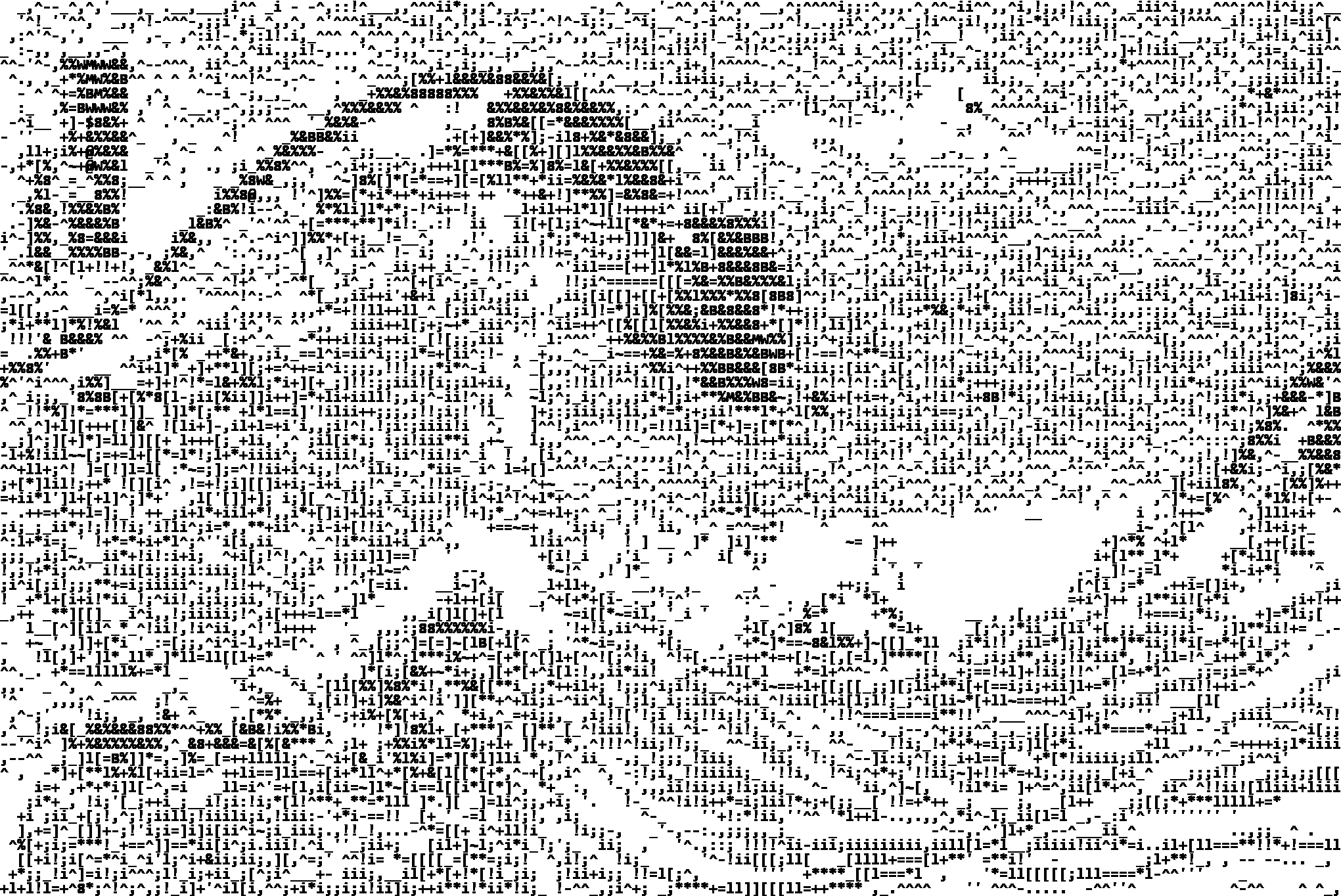
🖼️ Also check out the gallery for more examples!
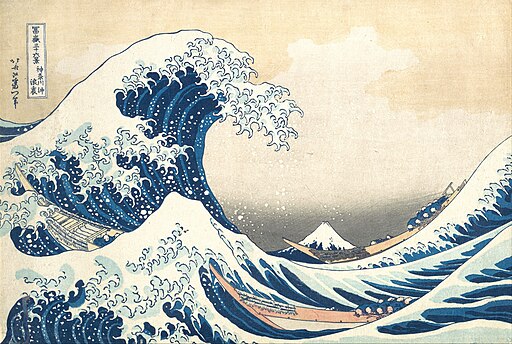
⭐ Image Credit: tsunami (Wikipedia)
Real ASCII - Contour Shade Filter
https://marblestack.github.io/marblestack/posts/b_ascii/g_contour_shade/